
How to Change Your ZKE Account Email (Mobile App)
You can follow the step-by-step guide below to change the email address registered to your ZKE account. Note: To ensure account security, withdrawals and C2C trading will be disabled for 24 hours after changing your email.
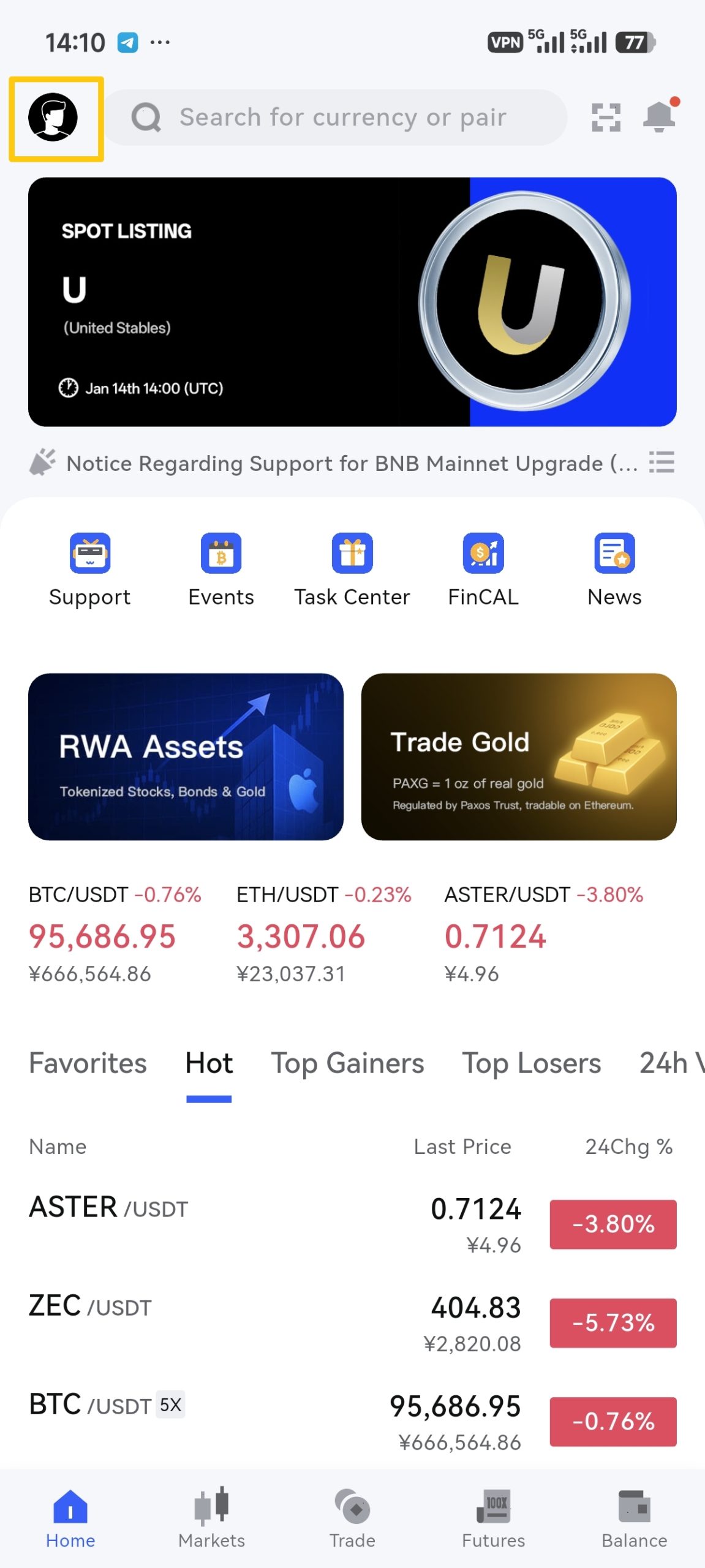
1. Log in to your ZKE account and tap the 【Profile Icon】 in the top-left corner.
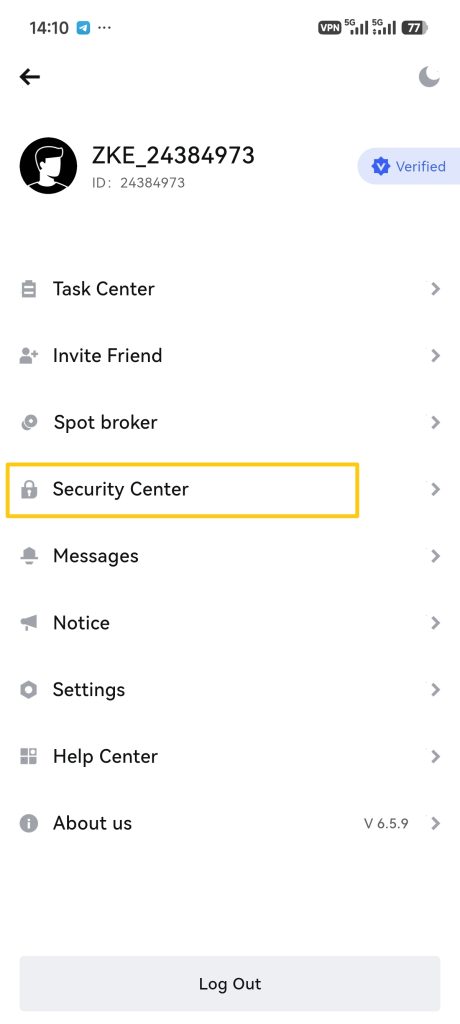
2. In the menu, tap 【Security Center】.
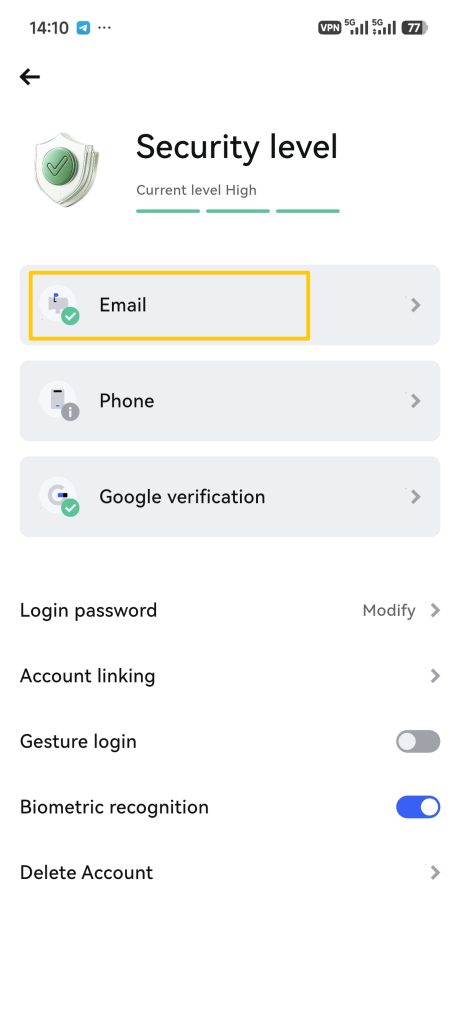
3. Tap the 【Email】 button.
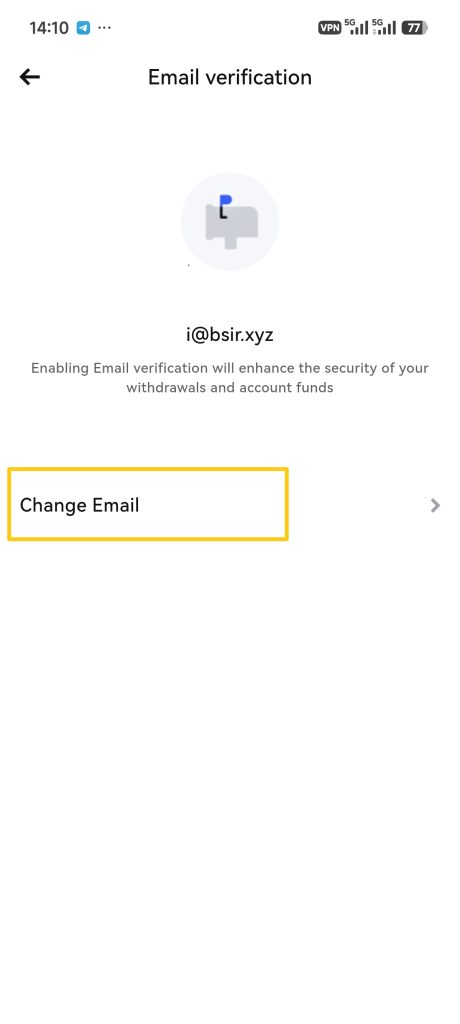
4. Tap 【Change Email】.
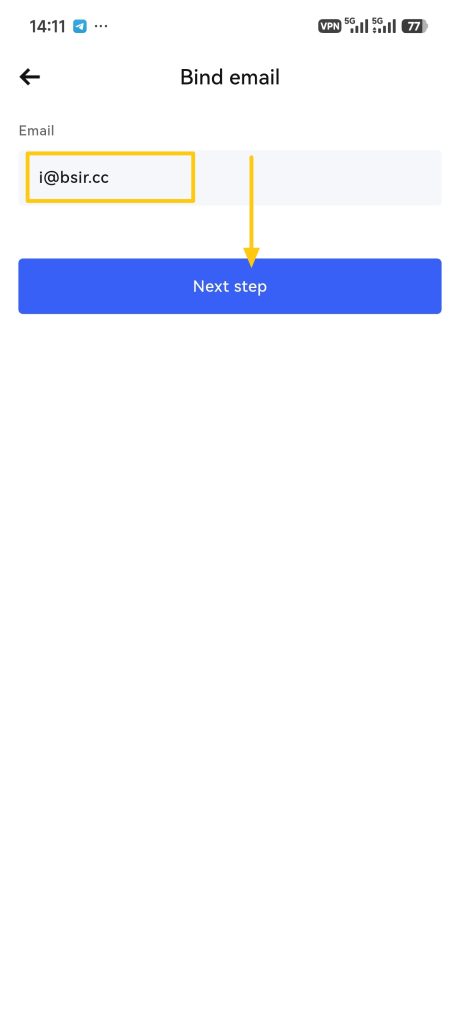
5. Enter your new email address and tap the 【Next step】 button.
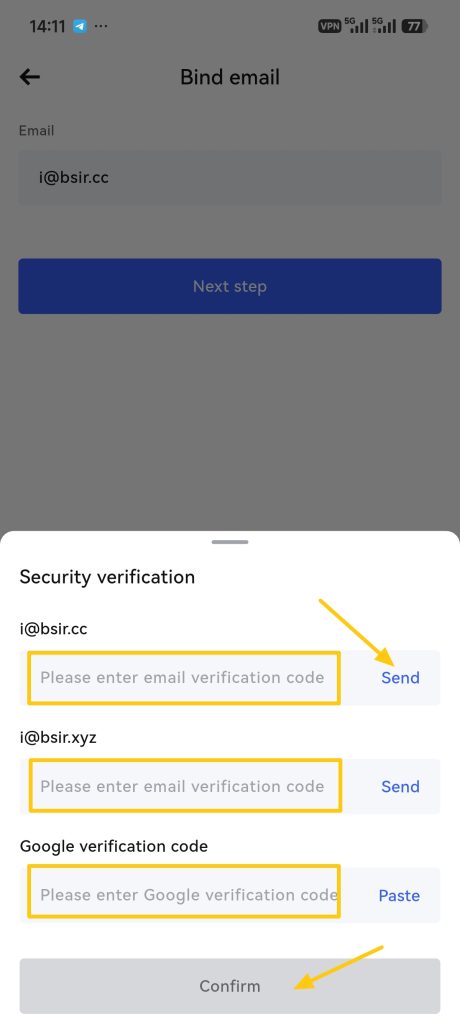
6. Tap the 【Send】 button to dispatch verification codes to both your old and new email addresses (if Google Authenticator is enabled, enter your Google Authenticator code; if a phone number is bound, enter the SMS verification code). After filling in all required codes, tap the 【Confirm】 button.
Note: To ensure account security, withdrawals and C2C trading will be disabled for 24 hours after changing your email.